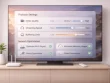
If your television feels slower than it used to, the problem is often not the screen itself. In many homes, the real issue is storage. A crowded smart TV can struggle with app launches, buffering, delayed menus, and update failures. The good news is that a few maintenance steps can make a noticeable difference.
Before you buy new hardware, start by checking what is already installed. Most smart TVs collect streaming apps, free trials, game downloads, cached files, and old updates over time. If you rarely use an app, remove it. This creates room for the apps you actually depend on and can help the system run more smoothly.
Start with a quick cleanup
Open your TV settings and look for a section called Storage, Device Care, Apps, or System. From there, review the largest apps first. Delete anything you no longer use, especially duplicate streaming services and apps that came preinstalled but add no value to your setup.
It is also worth clearing cache where your platform allows it. Cached files help apps load faster in the short term, but when they build up too much they can slow performance instead. Restart the TV after clearing them so the system can refresh background processes.
Keep only the apps you use every week
A practical rule is simple: if an app has not been opened in the last month, consider removing it. You can always reinstall it later. This keeps the interface cleaner and reduces clutter when family members are looking for something to watch.
For more platform-specific maintenance ideas, Google’s TV help pages are a useful place to review app and device management basics: Google TV Help.
Do not ignore software updates
Some users avoid updates because they worry about change, but outdated firmware can create storage bugs, performance issues, and compatibility problems with newer apps. Check for system updates regularly and install them during a time when the TV is not in heavy use.
Use your home page wisely
Limit the number of apps pinned to your main screen. A lean home page is easier to navigate and often feels faster. Organizing your apps also helps everyone in the house find the services they use most without endless scrolling.
If you want more smart TV setup ideas, bookmark theshackupinn.com for additional guides and home streaming tips.
Final thoughts
Smart TV storage management is one of the easiest ways to improve everyday performance. Remove unused apps, clear cache where possible, keep your firmware current, and simplify your home screen. Small changes add up quickly, especially on TVs that have been used for a year or more without maintenance.